Hair Styler App, AI Hairstyle
AI Photo Generator, AI ChatPhotography
3.72.11K Reviews
- Version
- 2.9.40
- Installs
- 1.00M
- Age Rating
- Everyone
Screenshots
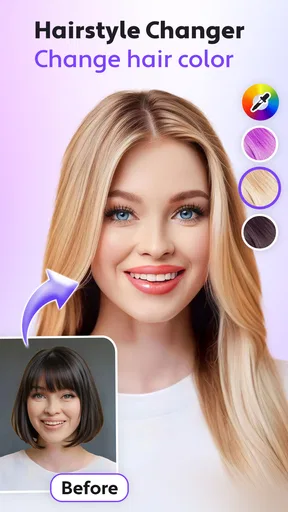
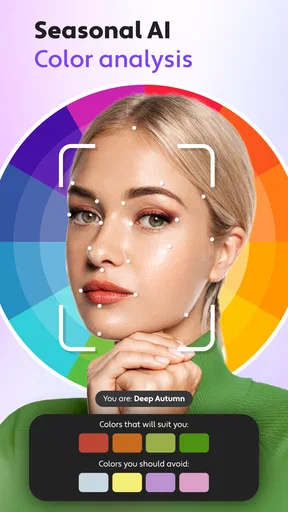
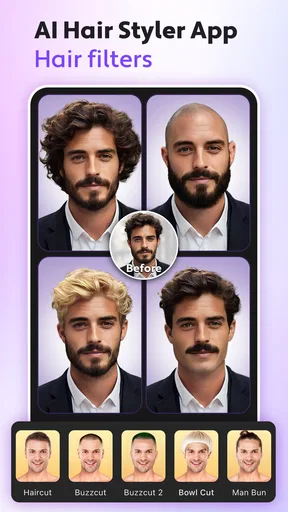
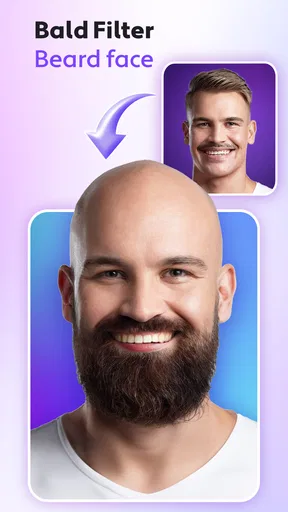
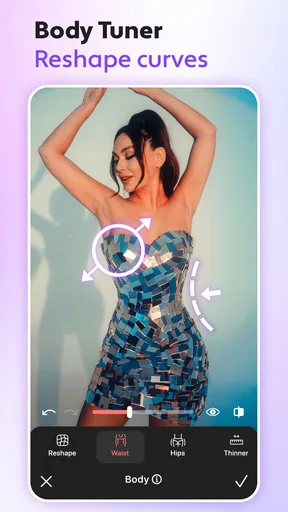
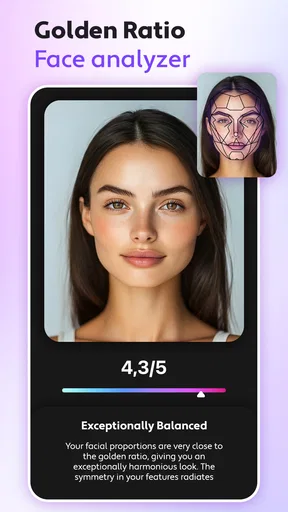
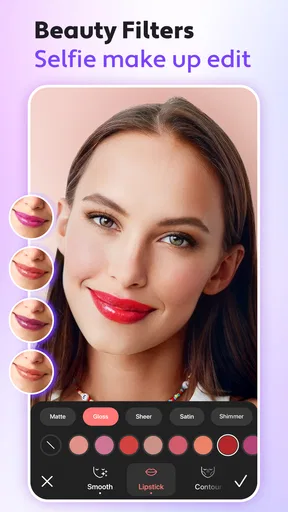
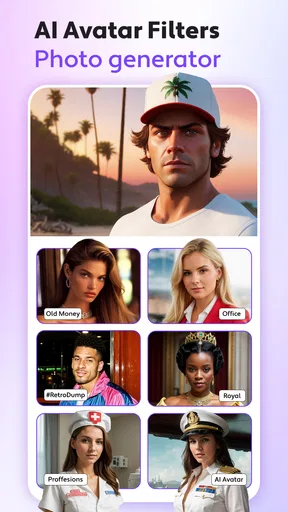
Our Review of Hair Styler App, AI Hairstyle
 Analysis by Appyee
I use virtual hairstyle previews for a specific reason: they let me test an idea before I have to explain it to a hairdresser or live with it for months. AI Hairstyle is aimed at that moment of curiosity, when I’m wondering whether a fringe, a shorter cut, or a different shade might suit me. It turns a photo into a quick visual experiment rather than asking me to imagine the result from a reference picture alone.
This is a photography app from AI Photo Generator, AI Chat, and its focus is narrow in a useful way: trying hair changes on a portrait. It is free to install, rated for Everyone, and has an average rating of 3.6 from around 15,000 ratings. The app has passed one million installs, so it is familiar to plenty of people, though that reach does not mean every preview will look convincing on every face or photo.
A low-pressure place to test an idea
I’d reach for it before a consultation, not instead of one. A virtual preview can help me decide whether I’m drawn to a blunt bob or only to the color in a photo I saved. It can also help me explain a vague preference: showing a stylist a few versions of my own face is often clearer than saying “something different, but not too different.”
The most useful way to approach a result is as a conversation starter. Hair texture, density, growth patterns, and the work needed to maintain a cut are hard to capture in a still image. A simulated style may look tidy because it is designed to fit the portrait, while real hair may fall differently. I would use the image to narrow down options, then ask a professional what is realistic for my hair.
Getting Started with AI Hairstyle
Diving into the AI Hairstyle app is a breeze. Once you download it, the app prompts you to upload a photo or take a selfie. This is where the magic begins; the app's advanced AI technology analyzes your face shape, features, and even your skin tone to suggest hairstyles that might suit you best. And let me tell you, the results can be quite impressive!
Features That Stand Out
One of the first things you'll notice about the app is its user-friendly interface. You don’t need to be a tech wizard to navigate through the options. Here's a quick rundown of what you can expect:
- Realistic Simulations: The app uses AI to create incredibly lifelike hairstyle simulations. The results are so good that you might find it hard to believe they're not real!
- Extensive Style Library: From short bobs to long curls, and even some funky, adventurous choices, the app's library is packed with options to suit every personality.
- Color Experimentation: Want to see how you'd look as a redhead or with pastel hues? The color feature is something I found myself playing with for hours.
- Face Shape Analysis: The app offers personalized recommendations based on your face shape, which adds a layer of customization that feels super thoughtful.
Making a preview useful
For a fair comparison, I’d keep the photo consistent while testing different cuts or shades. A straight-on image with the hairline visible makes it easier to judge how a fringe changes the face; a photo with hair covering the forehead can make that comparison less helpful. I’d also avoid judging a style from a single dramatic filter. Trying a familiar, realistic option beside a bolder one makes it easier to tell whether I like the haircut itself or simply the novelty of seeing a big change.
There is a practical trade-off here: a photo that makes a good portrait may not be the best reference for a hairstyle. Strong shadows, an unusual camera angle, or hair already covering the areas I want to change can make the preview harder to assess. If my first result looks oddly placed, I would try another clear photo before deciding that the cut is wrong for me. That small step can save me from rejecting a style based on a poor starting image.
Using the App Like a Pro
Once you’ve selected a style, the app allows you to adjust the length and color to your liking. This feature is perfect for those who are a bit indecisive (like me!) and want to see a couple of different versions before making a decision.
Another handy feature is the ability to save your favorite looks. You can create a collection of styles that catch your eye, which is perfect for referencing when you finally visit your stylist. Plus, you can share your new look with friends directly from the app, which is a fun way to get a second opinion.
From quick experiment to salon conversation
A realistic everyday use is deciding what to ask for during a busy week, when booking or visiting a salon is already on the calendar. I could try a few nearby variations at home, save the two that feel most like me, and show them to the stylist rather than arriving with a folder of unrelated celebrity photos. The saved looks are most useful as visual references, not as promises that the finished haircut will match pixel for pixel.
I would also be selective about sharing. A playful color test can be fun to send to a friend, but a portrait is still a personal image, and I’d choose one I’m comfortable using for that purpose. For a haircut decision, sharing only the strongest alternatives is better than sending every experiment: it makes feedback more focused and helps separate “that’s surprising” from “that actually suits you.”
Where it fits among hairstyle tools
Compared with searching image boards or browsing salon photos, this app’s advantage is seeing a style on your own portrait rather than on someone with different features. That makes it a more personal brainstorming tool. The usual alternatives still have an edge when I need to inspect the cut from several angles, judge real hair texture, or show how a style behaves in motion; a static preview cannot settle those questions.
It also isn’t a substitute for a general photo editor. If my goal is to retouch a portrait, create a polished social post, or make precise color corrections across an image, a dedicated editing app is the better fit. I’d choose this one when the question is specifically “How might I look with this hair?” and switch tools once the hair decision is made.
Iteration without losing the point
Because length and color can be adjusted, it is tempting to keep generating combinations until every option looks interesting. I find it more useful to change one thing at a time: compare a cut in its current color first, then test a new shade on the version I like. Otherwise, a dramatic color shift can distract from whether the shape works, and I may leave with a favorite image but no clear idea what to request.
The face-shape suggestions can be a helpful prompt, but I wouldn’t treat them as a verdict. Personal taste, styling time, and how much upkeep I’m willing to do matter just as much as a face category. Someone who wants a wash-and-go routine may prefer a less demanding choice even if a more elaborate preview looks striking. That is where the app’s visual play needs a reality check from my own habits.
Who will get the most from it
I think it suits people who are curious but cautious, especially anyone choosing between a few recognizable cuts or hair colors. It can also help someone who struggles to describe a look verbally, since a saved image gives a stylist a concrete starting point. If I were planning a major change, I’d use it to prepare questions about length, upkeep, and what is achievable with my current hair rather than making the decision from the screen alone.
I’d skip it if I need a technically reliable preview for a specific salon outcome, if I want a full consultation about hair health, or if I dislike experimenting with portrait images. It is also less useful when I already know exactly what I want and have a clear reference photo; in that case, a direct conversation with a stylist may be quicker. The app is strongest in the uncertain middle ground between “I’m only curious” and “I’m ready to choose.”
The Social Angle
The app also has a social component, allowing you to see trending styles and what others are trying. It's like having access to a global style gallery, where you can get inspired by real people and real choices.
Moreover, the community feature allows you to follow other users and hairstylists, exchanging tips and getting real-time feedback. It's a vibrant, engaging space that adds an extra layer of fun to the whole experience.
Cost, expectations, and practical limits
The app is free, with in-app purchases ranging from $2.99 to $49.99 per item. I’d explore the basic experience before paying for anything, then decide whether the extra value fits how often I expect to use it. For someone who only wants to settle one haircut question, a purchase may not be worthwhile; a frequent experimenter may feel differently. I would check the purchase details in the app before committing, rather than assuming every option is included at no cost.
It runs on Android 7.0 or later, and its current version is 2.9.12. Those details make it straightforward to check compatibility before installing, but they don’t guarantee the same experience on every device. The rating of 3.6 is a reasonable cue to keep expectations measured: I’d judge it by whether the previews help me think through a style, not by expecting flawless salon-grade realism in every image.
Final Thoughts
Overall, the AI Hairstyle app is a fantastic tool for anyone looking to shake up their style without the fear of a bad haircut. It's intuitive, packed with features, and offers a level of realism that's truly impressive. Whether you're just curious about a subtle change or contemplating a complete transformation, this app is definitely worth a try.
So, if you're ready to experiment and perhaps even surprise yourself with a new look, give the AI Hairstyle app a go. Who knows? You might just find your next signature style!
My creator verdict
As a small creative tool, I see its value in moving from an uncertain idea to a usable reference. I can start with a portrait, compare a handful of directions, keep the ones that still appeal after the novelty wears off, and carry those choices into a real salon conversation. That is a more grounded workflow than treating one generated image as a final answer.
The app’s best outcome is not necessarily a perfect preview; it is a clearer decision. If I leave knowing I want a softer fringe rather than a dramatic cut, or that I’m interested in a color family but need professional advice about the process, the experiment has done its job. For that kind of low-stakes exploration, I’d recommend trying it. For precise predictions, professional styling guidance, or broader photo editing, I’d choose a more specialized option.
Verdict
Strengths of Hair Styler App, AI Hairstyle
- Easy-to-use interface for quick styling.
- Wide variety of hairstyles to try.
- Realistic AI-generated previews.
- Supports both genders and various hair types.
- Regular updates with new styles.
Limitations of Hair Styler App, AI Hairstyle
- Limited free features; many styles are paid.
- Requires internet for AI processing.
- Some styles may not suit all face shapes.
- Occasional app crashes reported.
- High-resolution photos needed for best results.
Other Releases by AI Photo Generator, AI Chat
View All
Future Baby Generator, AI Baby
Photography4.4
Similar Picks in This Category
View All
Google Photos
Google LLC4.4

Gallery
Google LLC4.2

Picsart AI Photo Editor, Video
PicsArt, Inc.3.9

B612 AI Photo&Video Editor
SNOW Corporation4.1

BeautyPlus-Selfie Photo Editor
PIXOCIAL TECHNOLOGY (SINGAPORE) PTE. LTD.4.5

Remini - AI Photo Enhancer
Bending Spoons4.1
Frequently Asked Questions
What features does the AI Hairstyle app offer?
The AI Hairstyle app provides a variety of features including a virtual try-on for different hairstyles, hair color changes, and style recommendations based on your facial features. It also includes tutorials and tips for at-home styling, making it a comprehensive tool for experimenting with and refining your hair look.
Is the AI Hairstyle app free to use?
The AI Hairstyle app offers a free version with basic features. However, for access to premium hairstyles, advanced color options, and personalized style recommendations, a subscription or one-time purchase may be required. Be sure to check the app store for any current promotions or pricing updates.
How accurate are the virtual try-ons in the AI Hairstyle app?
The app uses advanced AI technology to provide highly accurate virtual try-ons. By analyzing your facial features and hair texture, it creates realistic simulations of different hairstyles and colors. While it offers a great preview, actual results can vary based on individual hair type and professional execution.
Can the AI Hairstyle app suggest styles based on face shape?
Yes, the AI Hairstyle app includes a feature that analyzes your face shape and suggests haircuts and styles that are most flattering. This personalized approach helps users discover styles that enhance their natural beauty and suit their individual preferences.
Does the AI Hairstyle app require an internet connection?
While some features of the AI Hairstyle app can be accessed offline, an internet connection is required for updates, downloading new hairstyles, and using community features like sharing and receiving feedback. It's recommended to use the app with a stable internet connection for the best experience.
